How to top up your balance
- Log in on the website or open the bot.
- Press "Top up", enter the amount in US dollars and choose a network: USDT TRC20, Bitcoin or Litecoin.
- Send exactly the amount shown in the invoice to the address shown. The last digits of the amount are unique — that's how the payment is matched automatically.
- Your balance is credited automatically: USDT in 1–2 minutes, LTC in about 15 minutes, BTC in 20–40 minutes.
If your exchange deducts a fee from the transfer, add it on top. Send USDT only via TRC20 (Tron) — a transfer in any other network will be lost.
How to choose and buy a number
- Filter numbers in the catalog by category, state, area code and price.
- Before purchase you see a masked number, e.g. +1 (212) *-47. You can reveal the full number for a small fee — it is deducted from the price if you buy that number.
- Revealing does not reserve the number: another buyer may purchase it while you are deciding.
- Press "Buy". The money is charged from your balance and the order page opens right away.
Categories and proofs
- ✓✓✓, ✓✓, ✓ — the number of checkmarks. The more checks, the better the number.
- «Recommended» — our pick.
- The "Proof" button opens a photo of the checkmarks for this exact number.
What you get
- The full phone number.
- The eSIM activation string (starts with
LPA:1$) and a QR code made from it. - Extra data for the number, if any — shown on the order page.
The order is always available in your account, and if Telegram is linked — also in the bot under "Purchases".
How to install eSIM on iPhone
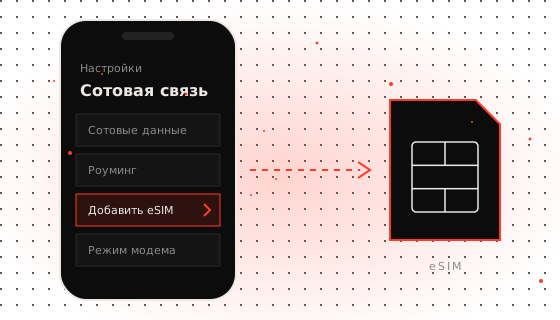
- Connect to Wi-Fi.
- Open Settings → Cellular → Add eSIM (or "Add Cellular Plan").
- Choose "Use QR Code" and scan the code from the order page on another screen.
- If scanning is inconvenient, tap "Enter Details Manually" and paste the whole activation string.
- Give the plan a clear name and choose what to use the line for.
How to install eSIM on Android
- Connect to Wi-Fi.
- Samsung: Settings → Connections → SIM manager → Add eSIM → Scan QR code.
- Google Pixel: Settings → Network & internet → SIMs → Download a SIM.
- Other models — look for "SIM cards" or "eSIM" in settings. You can also enter the activation string manually.
Install the eSIM only once. If you delete it from the phone, it usually cannot be installed again with the same QR code.
If a payment was not credited
- Check that you sent the exact amount in the right network.
- BTC and LTC are credited only after network confirmations — it may take up to an hour.
- If more than an hour has passed, open the invoice in your account and press "Submit for review" with the transaction hash (TxID). We will check it manually.
Login, password and Telegram
- You can log in with a username and password or via the Telegram bot — balance and purchases are shared.
- We don't ask for email, so the password can only be restored via linked Telegram. Link it in your account.
- If you started in the bot, you can set a username and password for the website in your account.